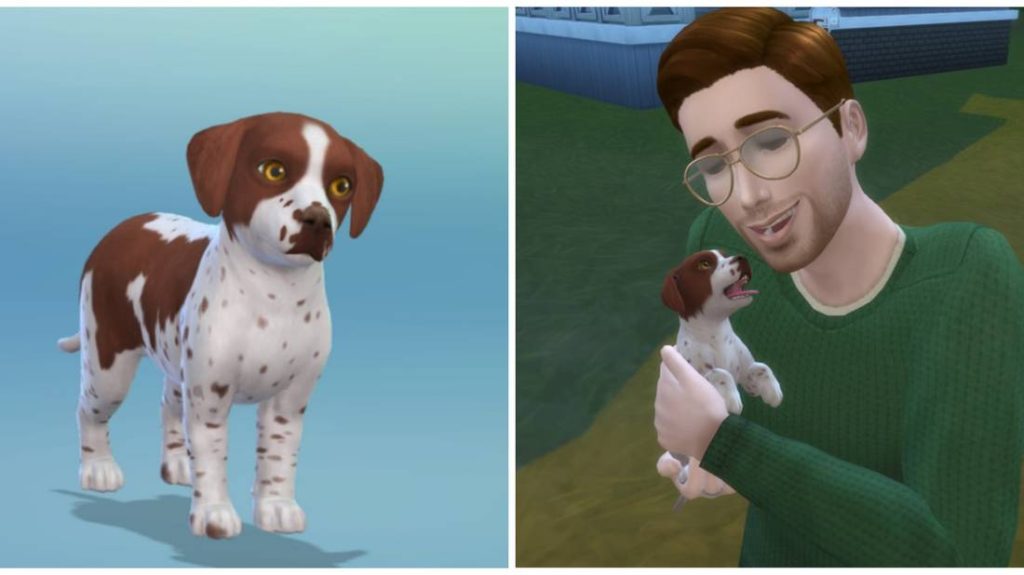
Are you ready to bring a furry friend into your Sims 4 game? Adopting a dog can add so much fun, love, and excitement to your virtual family life.
But how do you make it happen? If you’ve been wondering how to adopt a dog on the Sims 4, you’re in the right place. This guide will walk you through every step, making it simple and enjoyable. By the end, you’ll know exactly how to welcome a new four-legged companion into your Sims’ home—and watch your gameplay become even more heartwarming.
Keep reading to unlock the secrets of dog adoption in Sims 4!
Preparing Your Sims For A Dog
Preparing your Sims for a dog sets the stage for a happy pet adoption experience. It involves more than just bringing a furry friend home. Your Sims need the right environment and mindset to care for their new companion. This preparation helps avoid problems later and makes the game more fun.
Choosing The Right Household
Select a household with enough Sims to share pet care duties. A family with children or active adults works well. Dogs need attention and playtime from different Sims. Consider Sims with traits that match pet ownership, like being friendly or active. This choice impacts how smoothly the dog fits into the household.
Setting Up The Perfect Home
Prepare a space that welcomes your new dog. Add areas for sleeping, eating, and playing. Sims can place pet beds, food bowls, and toys around the house. Make sure there is enough room for the dog to move freely. A fenced yard or garden area is ideal for outdoor fun and exercise.
Budgeting For Pet Expenses
Owning a dog costs Simoleons for food, toys, and vet visits. Plan a budget to cover these expenses. Keep some savings for unexpected needs like medical care. Buying quality pet items improves the dog’s happiness and health. Balancing pet expenses with household income keeps Sims stress-free.
Credit: gamerant.com
Unlocking The Pet Adoption Feature
Unlocking the Pet Adoption Feature in The Sims 4 is an exciting way to enrich your virtual world with furry friends. Adopting a dog in the game not only adds joy to your Sims’ lives but also introduces new challenges and experiences. Whether you’re a seasoned player or a newcomer, understanding how to use the pet adoption feature can help you expand your Sim family effortlessly.
Accessing The Neighborhood
First, ensure your game has the “Cats & Dogs” expansion pack installed. This pack is essential for accessing the pet adoption feature. Once installed, visit any neighborhood on the map to begin your journey.
Click on the “World Selector” to navigate. Choose a neighborhood where you want your Sim to live or visit. Remember, each neighborhood has its unique charm and potential pet encounters.
Finding The Adoption Center
After settling in a neighborhood, the next step is locating the Adoption Center. The Adoption Center can be accessed through your Sim’s phone. Click on the phone icon and select the “Hire a Service” option.
From the list of services, choose “Adopt a Pet.” This will bring up a menu of available dogs for adoption. Each pet has its traits and quirks, adding depth to your decision-making process.
Meeting Potential Dogs
Once you’ve selected “Adopt a Pet,” a list of dogs ready for adoption will appear. Take your time to review their traits and characteristics. Consider what type of pet fits best with your Sim’s lifestyle.
Invite the adoption agent to your Sim’s home to meet the dogs. This allows your Sim to interact with each dog, giving you a better sense of compatibility. Pay attention to your Sim’s reactions and the dog’s behavior to ensure a perfect match.
Have you ever adopted a dog in The Sims 4? What was your experience like? Share your stories in the comments and help fellow Simmers find their perfect pet companions!
Selecting The Right Dog
Choosing the right dog for your Sims in The Sims 4 can transform your gameplay experience. The dog you pick will influence your Sims’ daily activities and emotional connections. It’s important to think carefully about what fits best with your Sims’ lifestyle and preferences.
Evaluating Dog Traits
Every dog in The Sims 4 comes with unique traits that affect their behavior and needs. Traits like “Playful,” “Loyal,” or “Independent” shape how the dog interacts with your Sims and the environment. Consider what kind of companionship you want—do you want a dog that loves to play fetch or one that prefers quiet cuddles?
Try to match traits that complement your Sims’ routines. If your Sim is often busy, a low-maintenance dog with calm traits might work better. Have you noticed how a “Protective” trait can add an exciting dynamic to your household?
Considering Breed And Size
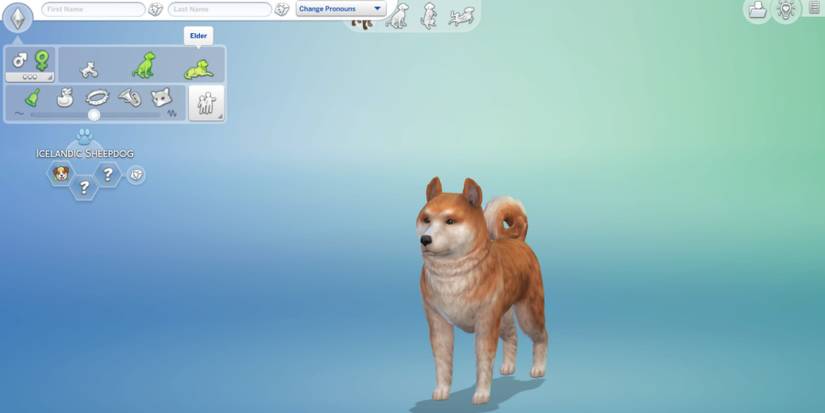
Breed affects not only how the dog looks but also its size and energy level. Large breeds like Great Danes need more space and exercise, while smaller breeds like Chihuahuas adapt well to apartment living. Think about your Sims’ home and daily schedule.
Some breeds have specific needs—like grooming or training—that require your attention. If your Sim loves outdoor activities, an energetic breed might be the perfect companion. Can your Sim’s home accommodate a lively dog, or is a smaller, calmer dog a better fit?
Matching Dog Personality To Sims
Personality alignment between your Sims and their new dog can create a harmonious household. If your Sim is outgoing and social, a friendly, energetic dog will enhance that vibe. On the other hand, a shy Sim might bond better with a gentle, quiet dog.
Think about how your Sim’s traits and lifestyle will affect their relationship with the dog. Have you tried pairing a nervous Sim with a calm dog to see if it helps reduce anxiety? Matching personalities can make your Sims feel more connected and fulfilled.
Credit: gamerant.com
Completing The Adoption Process
Completing the adoption process in The Sims 4 is an exciting part of adding a furry friend to your household. It involves a few clear steps that ensure your new dog is ready to join your Sim’s family. This process adds realism and care to your gameplay experience.
Submitting The Adoption Application
Start by visiting the adoption center in the game. Your Sim needs to choose a dog from the available pets. After selecting, fill out the adoption application. This form asks about your Sim’s lifestyle and home. The goal is to match the dog’s needs with your Sim’s environment. Submit the application to proceed.
Waiting Period And Approval
After submitting, there is a short waiting period. During this time, the adoption center reviews the application. The game simulates a real approval process. Your Sim must wait patiently for the decision. If approved, the adoption center contacts your Sim. If not, try applying again with a different dog or improve your Sim’s home.
Bringing The Dog Home
Once approved, your Sim can bring the dog home. The dog will appear in your household immediately. Spend time with the new pet to build a strong bond. Make sure to provide food, toys, and a comfortable bed. The dog will become a loving part of your Sim’s life.
Caring For Your New Dog
Caring for your new dog in The Sims 4 creates a special bond. Your attention keeps your dog happy and healthy. Dogs need love, care, and routine to thrive in your virtual home. This section covers feeding, hygiene, training, socializing, and health checks to ensure your dog feels loved and safe.
Feeding And Hygiene
Feed your dog regularly with the right food. Choose dog food from the fridge or buy it from the store. Keep the food bowl clean to avoid sickness.
Bath your dog to keep it clean and fresh. Use the dog shower or bath object in the game. Brush your dog's fur often to reduce dirt and shedding.
Training And Socializing
Train your dog to obey commands like sit, stay, and fetch. Use the training option in the game menu. Training helps your dog behave well with Sims.
Socialize your dog by playing with other dogs and Sims. Take your dog to parks or invite friends over. Social time improves your dog’s mood and skills.
Health And Vet Visits
Watch for signs of sickness such as tiredness or unusual behavior. Take your dog to the vet using the phone or computer. Vet visits keep your dog healthy and fix any problems early.
Give your dog medicine if the vet prescribes it. Rest and comfort help your dog recover faster. A healthy dog stays active and happy in your Sims household.
Credit: gamerant.com
Enhancing Dog Life In Sims 4
Bringing a dog into your Sims 4 household is just the beginning. To truly make your virtual pet feel loved and happy, you need to focus on enhancing their daily life. By adding toys, engaging in activities, and customizing their appearance, you create a richer experience for both your Sims and their furry friends.
Adding Toys And Accessories
Toys aren’t just for fun—they keep your dog active and mentally stimulated. You can add items like chew toys, balls, and frisbees to your Sim’s yard or inside the house. These simple additions encourage your dog to play and exercise, which improves their mood and overall behavior.
Accessories like collars, bandanas, and beds also personalize your dog’s space. Changing these items regularly can keep your pet looking fresh and feeling comfortable. Have you tried mixing different colors and styles to match your Sim’s personality?
Exploring Dog Activities
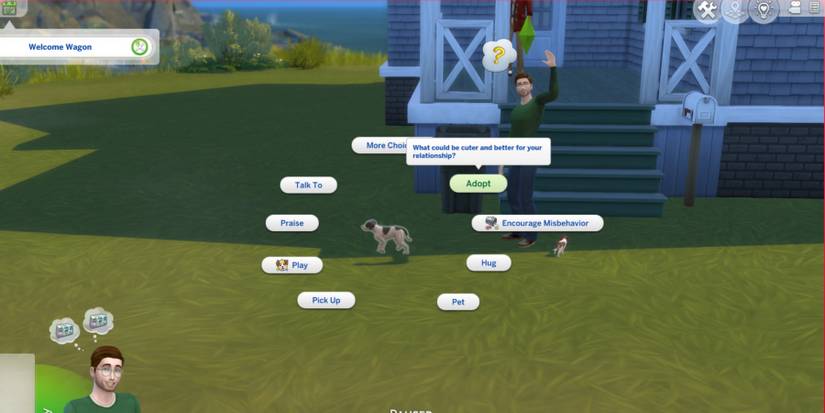
Dogs in Sims 4 love to engage in various activities that can strengthen their bond with your Sim. Take your dog for walks, play fetch, or teach them tricks to increase their skills and happiness. These interactions not only build affection but also make your gameplay more dynamic.
Consider setting up a training area with agility equipment if you want to challenge your dog. It’s rewarding to see your pet master new skills and compete in dog shows. What new activities could you introduce to keep your dog excited every day?
Using Mods For Customization
If you want more options beyond the base game, mods can transform your dog’s look and behavior. You can find mods that add unique breeds, custom fur patterns, or even new animations. These mods help you create a truly one-of-a-kind pet.
Before downloading, make sure the mods are compatible with your game version. Many players enjoy sharing their favorite mods online, so you can easily find trusted sources. How could custom mods change the way you play with your Sims’ dogs?
Frequently Asked Questions
How Do I Start Adopting A Dog In Sims 4?
To adopt a dog in Sims 4, first visit the local animal shelter or open the phone menu. Select “Adopt a Pet” and browse available dogs. Choose the dog you want and complete the adoption process to add it to your household.
Can I Customize My Adopted Dog’s Appearance?
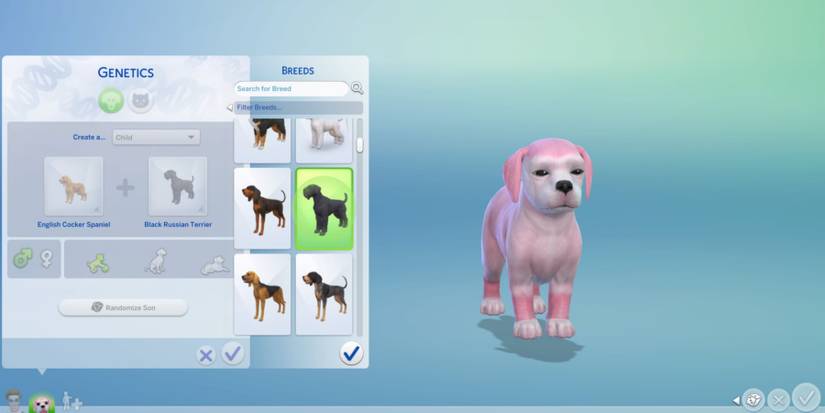
Yes, after adopting a dog, you can customize its appearance in Create-a-Pet mode. Change fur color, patterns, eye color, and accessories to make your dog unique and fit your Sim’s style.
Are There Different Dog Breeds To Adopt In Sims 4?
Sims 4 offers a variety of dog breeds to adopt, ranging from small to large. Each breed has unique traits and behaviors, allowing you to find the perfect match for your Sim’s lifestyle and preferences.
What Do I Need To Adopt A Dog In Sims 4?
To adopt a dog, your Sim must have enough funds to cover the adoption fee. Also, ensure you have enough space in your household and a suitable environment for the pet’s needs.
Conclusion
Adopting a dog in The Sims 4 adds fun and life to your game. You get to choose the pet that fits your Sim’s style. Taking care of a dog brings new challenges and joy. Each step in the adoption process is easy to follow.
Enjoy watching your Sim build a bond with their new friend. Playing with pets can make your Sims happier every day. Try adopting a dog and see the difference it makes. It’s a simple way to add love and excitement to your game.

Emily Barker is the founder of ChillDogLife.com, a space dedicated to helping pup parents discover the best dog products, lifestyle tips, and cozy ideas for happier homes.
A lifelong dog lover, Emily combines her passion for pets with a knack for research to share trusted recommendations on everything from toys and furniture to health and everyday care.
Her goal is simple: to make life easier, stylish, and more joyful for dogs and the people who love them.